
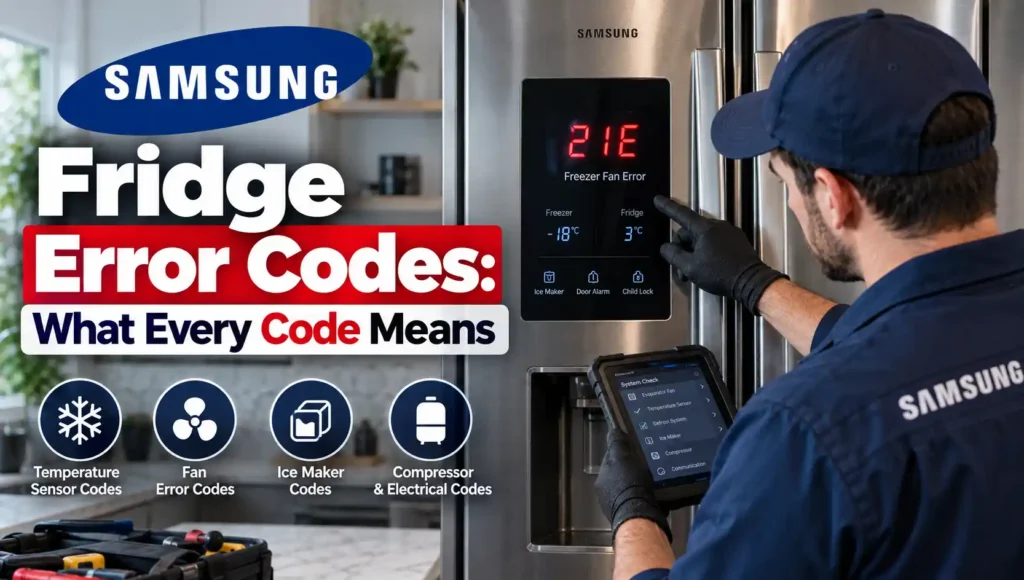
Samsung fridge error codes generally fall into a few families you can recognise at a glance: codes ending in E that name a specific sensor or fan, codes involving C that relate to power or communication, and a handful of two-word displays like OF OF that aren’t faults at all. This guide works through Samsung’s documented error codes, what each means, which ones have a genuine reset step, and which need a technician — sourced from Samsung’s own support documentation where available, with anything less than officially confirmed clearly marked as such.
How Samsung Error Codes Are Displayed
Most Samsung fridges show the code directly on the front control panel display. On Family Hub models, you can also pull a fuller list of current or past error codes by running a self-check: go to Apps, tap Fridge Manager, then Fridge Settings, then Self Check, and tap Start.
One important piece of Samsung’s own guidance up front: unless a code specifically tells you to, don’t unplug the fridge or interact with the panel trying to make the code disappear. Doing either can make it harder for a technician to actually diagnose what triggered it.
Samsung Fridge Error Codes: Full List
Fan Codes (20s Range)
21E — Freezer Fan Error. The electronics aren’t detecting rotational feedback from the freezer fan when it should be turning. Samsung’s own guidance links this most often to the fan being frozen up — caused by the door being left open, or a gap in the door gasket — though fan motor failure is also possible. You can defrost the unit yourself; if that doesn’t resolve it, or if you’d rather not, it needs a service visit. Also worth checking: that the fridge isn’t packed so full it’s preventing the doors from closing completely, and that the door gaskets are making full contact all the way around.
22E, 22C — Fridge Fan Error. Similar cause to 21E: often triggered by the door being left open too long. Samsung’s suggested step is to unplug the fridge, leave the doors open for a few hours to let everything defrost naturally, then plug back in and resume normal use. If it returns, book a service visit.
23E, 23C — Condenser Fan Error. Points to the condenser fan at the back or bottom of the fridge, the one that expels heat from the system. No feedback reaching the control board from this fan usually means either an obstruction (commonly dust or pet hair built up in the lower rear grille area) or a failed motor. Vacuuming the condenser area is worth trying before assuming the motor itself has failed. (This code isn’t on Samsung’s primary US support page but is consistently documented across independent Samsung repair sources and at least one Samsung regional support reference.)
READ ALSO: Fridge Temperature Setting Australia: What It Should Actually Be
Defrost Codes
24E, 25E — Defrost-Related Errors, generally linked to the freezer and fridge defrost circuits respectively. (Independently but consistently reported across repair-industry sources rather than Samsung’s flagship support page — treat as a likely but not Samsung-confirmed meaning, and mention the exact code to a technician for confirmation against your model.)
26E — Ice Maker Temperature Error. Reported consistently as relating to the freezer not reaching a cold enough temperature for the ice maker to cycle (commonly cited around 8°C as the threshold it’s checking against), often traced back to a damaged door gasket letting warm air into the freezer. (Same caveat as above — well-corroborated by independent sources, not on Samsung’s own flagship list.)
Sensor Codes
5E — Fridge Defrost Sensor Error. One of Samsung’s own documented “commonly received” codes.
8E — Ice Maker (Freezer) Sensor Error. Also on Samsung’s official commonly-received list.
14E — Ice Maker Sensor Error.
6E appears in some third-party error code databases without a clear, consistent, independently verifiable meaning across sources. Rather than guess at what it means for your specific model, this is a case where quoting the exact code and your model number to Samsung support or a technician will get you a more reliable answer than anything published generally.
Voltage, Power and Communication Codes
83E — Compressor Abnormal Current Detection Error. Abnormal current reaching the compressor has been detected, commonly following a power surge or other electrical anomaly.
85E — Compressor Under Voltage Error. Points to a possible brownout.
86E — Compressor Over Voltage Error. Points to a possible power surge, such as during a storm.
88 88 — Communication Fault. Can occur if power was disrupted during the unit’s bootup.
For all four of the above, Samsung’s official first step is the same: unplug the refrigerator, or switch off power at the circuit breaker, for 60 seconds, then restore power. If the code returns, it needs a service visit.
PC ER, PC CH — Communication Error between components inside the fridge. Can follow a power surge, or a door that isn’t properly connected electrically. Samsung’s fix: unplug or switch off breaker power, disconnect and reconnect the wire harness above the door, then restore power. If it returns, book service.
85C — Low Voltage Detected, specific to Family Hub models, triggered by something like a brief power outage. Samsung describes this one as harmless — clear it by pressing OK for 3 seconds.
Compressor Codes
84C — Compressor Lock. Listed on Samsung’s commonly-received codes list without a detailed self-troubleshooting step; a service visit is the appropriate next step.
Ice Maker Codes
33E — Ice Pipe Heater Error.
39E, 39C — Ice Maker Function Error.
40E, 40C — Ice Room Fan Error.
76C, or a blinking Autofill indicator — Water detected in the Autofill compartment. This relates to the Autofill water pitcher feature on some models rather than a fault with the main appliance.
Ice Off blinking — not strictly an error code, but worth including: this simply means the ice bucket isn’t inserted correctly, or isn’t inserted at all. Reseating it resolves it.
Family Hub-Specific Codes
41 or 42, with interior blue lights flashing — reboot the Family Hub using the power switch on the inside top of the right door. If it persists, book a service visit.
41C — on 3-Door French Door Family Hub models specifically. Confirm the latest software update is installed; if the error occurs again after that update, tap OK. If it recurs more than once after updating, book service.
Codes That Aren’t Faults
OF OF, O FF, OFF OFF, or scrolling temperature bars — Cooling Off Mode, also called Demo or Shop mode. This disables cooling, ice making and the water dispenser entirely, and it’s meant for retail display, not home use — if you’re seeing this, your fridge isn’t broken. The exact button combination to exit varies slightly by model, but the most common method is holding the top two buttons on the left side of the control panel simultaneously for 5–8 seconds until you hear a distinct chime (different from a single-button touch sound). On some newer models, a third button on the right is also needed — try two buttons first, since you’re less likely to trigger the mode accidentally that way.
AP — Access Point. Displays when the fridge is acting as a Wi-Fi access point for SmartThings setup. This clears itself once setup is complete, or after some time if setup doesn’t finish.
All icons flashing after being plugged in, or after a power outage — this is normal. The fridge is running a self-diagnostic.
Which Samsung Codes You Can Try to Clear Yourself
- 83E, 85E, 86E, 88 88 — unplug or switch off at the breaker for 60 seconds, then restore power.
- 21E, 22E — a manual defrost (doors open for a few hours, or overnight for a heavier build-up) often resolves fan codes caused by ice.
- 23E — check for dust or debris blocking the condenser area before assuming a motor fault.
- PC ER, PC CH — power cycle plus reseating the wire harness above the door.
- 85C — press and hold OK for 3 seconds.
- OF OF / O FF — the button-hold sequence described above.
- Ice Off blinking — reseat the ice bucket.
- AP — no action needed; it clears on its own.
Every other code above is one Samsung’s own documentation routes straight to a service request, without a self-service step to try first.
When to Call a Technician
Book a technician rather than continuing to reset the unit when:
- A voltage, power, or communication code returns after a proper power cycle
- The code involves the compressor directly (83E, 84C)
- A fan code persists after a full defrost and a check for obstructions
- You’re seeing 5E, 8E, 14E, 33E, 39E/39C, or 40E/40C — these are sensor and ice maker faults without a documented DIY fix
- The exact meaning of your code isn’t clearly confirmed (as with 6E) — a technician reading it directly off your specific model is more reliable than any general list
Fridge Repair Experts provides mobile, on-site diagnosis for Samsung fridge error codes, with licensed technicians who can confirm the exact fault against your specific model and carry genuine spare parts for common repairs — fan motors, defrost sensors, ice maker components and control boards — on the vehicle. Call 0468 340 685 to book a diagnosis.
Frequently Asked Questions
What does 21E mean on a Samsung fridge?
21E is a Freezer Fan Error — the system isn’t detecting the fan turning when it should be. Samsung’s own guidance points to the fan being frozen up, often from a door left open or a gasket that isn’t sealing, as the most common cause. A manual defrost is worth trying before booking a technician.
How do I get my Samsung fridge out of demo mode?
If the display shows OF OF, O FF, OFF OFF, or scrolling temperature bars, the fridge is in Cooling Off Mode (demo or shop mode), not faulty. Hold the top two buttons on the left of the control panel for 5–8 seconds until you hear a distinct chime. Some newer models need a third button on the right as well — try two first.
What’s the difference between 85E and 86E?
Both are compressor voltage errors following an electrical event. 85E is an under-voltage error, typically from a brownout. 86E is an over-voltage error, typically from a power surge such as during a storm. Both are cleared the same way: unplug or switch off at the breaker for 60 seconds, then restore power.
Can I fix a Samsung fridge error code myself?
Some can — voltage and communication codes often clear with a proper power cycle, and fan codes caused by ice build-up often resolve with a manual defrost. Sensor faults (5E, 8E, 14E), ice maker function errors, and compressor lock codes don’t have a documented self-service fix and need a technician.
Why does my Samsung fridge show error code 23E?
23E points to the condenser fan, the fan that expels heat from the back or bottom of the fridge. A lack of feedback to the control board usually means either the fan is obstructed — commonly by dust or pet hair around the lower rear grille — or the fan motor itself has failed. Clearing any obstruction is worth trying first.
What does the 84C code mean?
84C indicates a compressor lock. There’s no documented self-service troubleshooting step for this one; it needs a technician to diagnose whether the compressor itself or a related component (such as a start relay) is at fault.
I can’t find my exact error code in any list. What should I do?
Not every Samsung code is documented consistently across public sources, and code meanings can vary between model generations. Photograph the code and your model sticker, then either contact Samsung support directly or have a technician read it off the appliance during a diagnosis, since that’s more reliable than any general list for a code that isn’t clearly confirmed.
Book a Diagnosis
If your Samsung fridge is showing an error code and you’d rather have it confirmed and fixed than keep guessing, Fridge Repair Experts can diagnose the exact fault and repair it on the spot in most cases. Licensed technicians, genuine spare parts, and a workmanship warranty on any repair carried out.
Call 0468 340 685 to book a mobile, on-site diagnosis.